
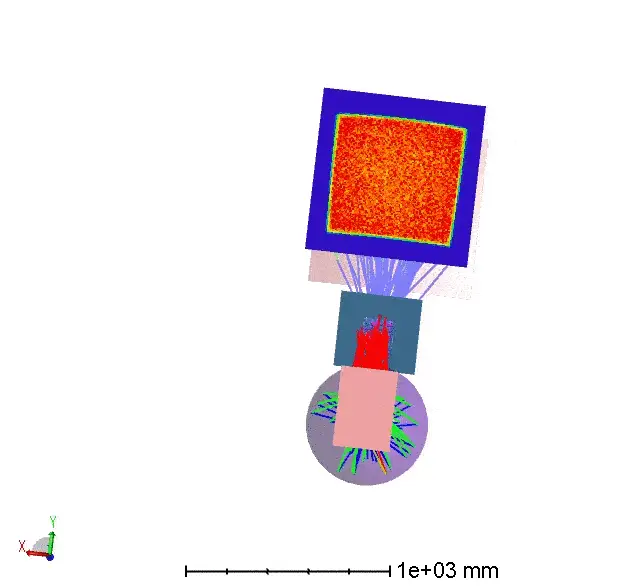
Animations in optical illumination system presentations are highly effective for capturing attention and communicating complex concepts to customers or audiences. This article explains how to create optical illumination animations easily and at no cost, using commonly available tools.

Creating Animations from Optical Illumination Models
Ezgif.com is a simple, free, web-based GIF creation and editing tool. It allows users to combine a sequence of images into an animated GIF with a defined frame delay. In addition to animation creation, EZgif supports resizing, cropping, reversing, optimization, and basic visual effects.
Most optical illumination design software allows graphical results to be exported in formats such as JPG, BMP, EMF, or WMF. By exporting a series of images—each representing a different system state—these images can be imported into GIF or video editors as animation frames.
Exporting Images from Optical Design Software
Images can be exported manually, one window at a time. However, for efficiency and repeatability, ZPL (Zemax Programming Language) can be used to automate this process.
ZPL provides several keywords that replicate graphical user interface export functions:
- EXPORTBMP – exports a graphics window as a BMP file
- EXPORTJPG – exports a graphics window as a JPG file
When combined with string-handling functions such as $STR, these commands can generate multiple images with sequential filenames, making them ideal for animation workflows.
Using SETNSCPOSITION in ZPL
SETNSCPOSITION Keyword Overview
The SETNSCPOSITION keyword modifies the position or orientation of objects in the Non-Sequential Component (NSC) Editor. It allows programmatic control of:
- X, Y, Z position
- Tilt about X, Y, or Z
The keyword requires:
-
NSC surface number (integer)
-
Object number (integer)
-
Code specifying the parameter to modify
-
1–3: X, Y, Z position
-
4–6: Tilt X, Tilt Y, Tilt Z
-
-
The new numeric value for that parameter
Example: Animating a Folded Illumination System
In this example, the optical illumination system includes:
- A baffle for stray light control
- A folded optical layout to reduce system size for commercial integration
A ZPL macro is used to increment the Tilt About Y parameter of a selected NSC object inside a FOR loop. For each tilt value:
- The Shaded Model window is refreshed
- The current view is exported as a JPG file with a unique filename
The resulting image sequence represents the system behavior as the component tilts, which can then be imported into EZgif (or similar software) to create an animation.

Presentation Impact
By combining ZPL automation with free animation tools, engineers can quickly generate compelling optical illumination system animations. These animations are invaluable for:
- Customer presentations
- Design reviews
- Marketing demonstrations
- Training and education
The ability to visualize system behavior dynamically greatly enhances audience engagement and understanding.
Reference Source
- https://www.zemax.com/
- The design file used in this article is attached as shown. How to demonstrate the optical illumination system by an animation