

Exporting Optical Design Surfaces
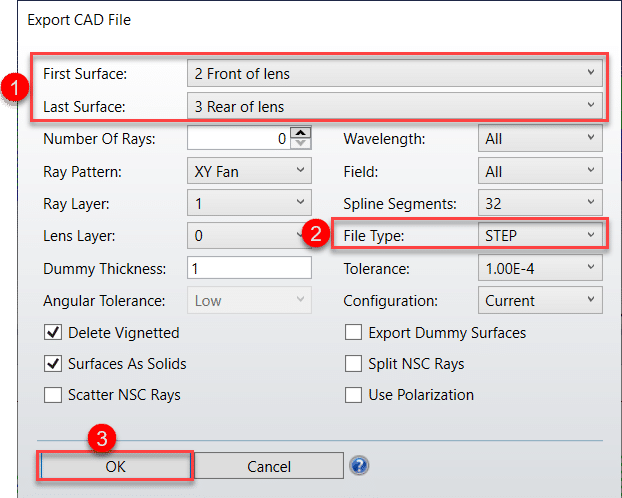
Let’s assume you want to export only the two surfaces making up the singlet lens (the front and rear surfaces). This can be done quickly in OpticStudio by following these steps:
-
Select the Range of Surfaces:
Define the range of surfaces to export by specifying:-
First Surface: Front surface of the singlet
-
Last Surface: Rear surface of the singlet
-
-
Choose the File Format:
OpticStudio supports various file formats for exporting optical surfaces. Choose the appropriate format for your needs:-
STEP, IGES, SAT, or STL
-
-
Confirm and Export:
Click OK to export the selected surfaces in the chosen file format.
This allows the mechanical engineer to import the surfaces into CAD software and proceed with building the mechanical parts of the system.
Exporting Ray Information
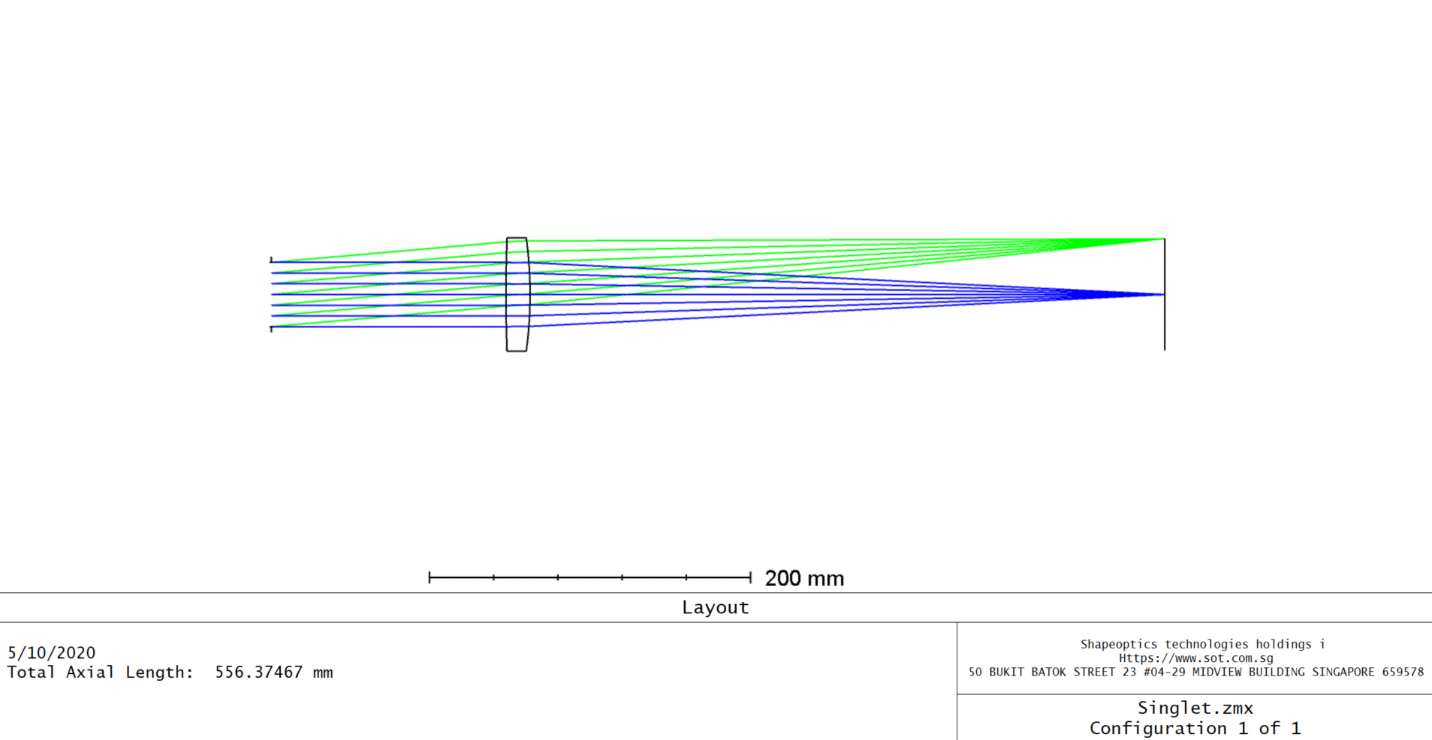
You can also export ray data for further analysis or integration with mechanical design tools. The Export CAD File tool allows you to export ray information into IGES, STEP, and SAT formats. Note that STL format does not support line entities, so no ray data is exported when using this format.
To export rays, follow these steps:
-
Select the Range of Surfaces:
Open File > CAD Files and set the range of surfaces to export:-
First Surface: Surface 1 (Stop is free to move)
-
Last Surface: Surface 4
-
-
Define the Ray Pattern and Density:
Choose the ray pattern and number of rays to export:-
Ray Pattern: Select XY Fan for the ray pattern
-
Number of Rays: Set to 7 rays
-
-
Set Wavelength and Field Parameters:
To export all rays, select:-
Wavelength: All wavelengths
-
Field: All field points
-
-
Confirm and Export:
Click OK to export the rays in the selected format.
By exporting the ray data, the mechanical engineer can better understand the light distribution and behavior in the system, enabling more accurate mechanical designs.
Conclusion
Exporting both optical surfaces and ray data from OpticStudio allows for seamless collaboration between optical and mechanical engineers. This process ensures that the optomechanical system design is accurate and fully integrated, helping to streamline the development of optical systems.